
Optimize, tweak and clean up your Windows XP
We never get tired of Windows manager tools here in the Softonic offices, and after trying out this latest offering from Yamicsoft, we are still looking for a tool that strikes a good balance between usability and functionality. WinXP Manager may offer a fine range of options and tweaking utilities, but the delivery is haphazard with several sources of concern for the average user.
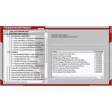
Let’s start from the beginning. The first time you open WinXP Manager you are prompted to create a system restore point, just in case something should go horribly wrong. If you have system restore disabled on your computer, WinXP Manager will go ahead and load up anyway. What you are presented with is a detailed overview of your system specs. Through WinXP Manager's tabbed navigation, you can switch the view to check out details about your operating system, computer, hardware, and processes. WinXP Manager doesn't, however, have any central tab that would display all the information in one place so that you could easily print out a complete run down on what you have in your box. Neither, for that matter, is there a print button for quickly converting anything to hard copy.
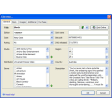
On further investigation, you find yourself digging through tabs of tabs to find what you need on WinXP Manager, or alternatively, opening pop-up windows that appear when you click buttons that lie alongside those that don’t produce pop-ups. Supposedly consistency wasn't high on the priority list. WinXP Manager runs inside a fixed width window, something that wouldn't usually merit any criticism but in this case the window is very small relative to the entire screen size and results in some scrolling.
Putting design and usability aside, there are a lot of positive things to say about WinXP Manager. As we mentioned, it does provide comprehensive information about all aspects of your hardware and software. WinXP Manager has a handy optimization wizard that guides inexperienced users through the process, and for every tick box you see, there is a corresponding detailed tooltip that will give you a clue whether or not you are on the verge of destroying your PC. WinXP Manager has an amazing amount of utilities for tweaking XP to the last, although we are concerned that the registry cleaner may be over aggressive.
Boiling it down, WinXP Manager is a fantastic utility for anyone that has a good general understanding of the many various elements making up their PC. If you have a tweak in mind and don’t want to bury yourself in the actual system files, WinXP Manager will serve you well. On the other hand, if you are after a quick all round maintenance fix and you don't quite get the registry or services, then you should look for a less hard-core solution.
Privacy Protector updated to v3.1
Changes
Privacy Protector updated to v3.1



























User reviews about WinXP Manager
by Anonymous
Excellent.
very excellent and i often use this program. and i lake this
Pros: play guitar and surfin internet study figth art
Cons: register is easy
thank you